
From Laptop Chaos to FileSurf: Automating a Residential Business Invoice Pipeline
How an AI-powered workspace helped a property owner escape monthly invoice hell in just 80 minutes.
2026-01-23
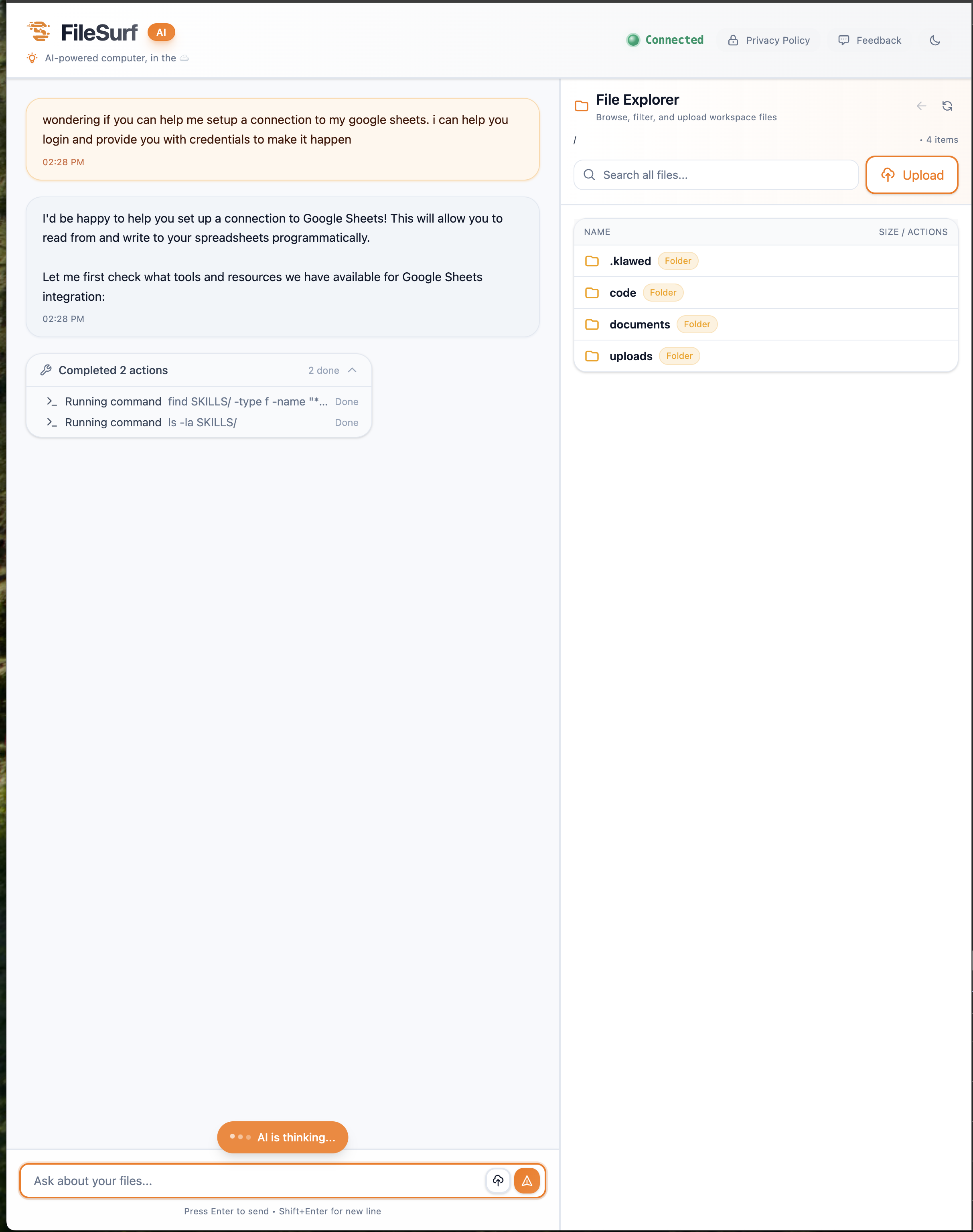
How an AI-powered workspace helped a property owner escape monthly invoice hell in just 80 minutes.
For two years, a residential property owner lived with a recurring nightmare. Every month, they'd sit down with their laptop, open Google Sheets, download CSV files, run a Python script, and pray nothing broke. If the laptop died, so did their billing system. They wanted out—and they wanted to move everything to FileSurf, an AI-powered workspace that turns conversations into working code.
What happened next was remarkable. In 80 minutes of back-and-forth conversation, FileSurf rebuilt their entire invoice system from scratch. No fumbling with documentation. No debugging font rendering for hours. Just clear conversation, real-time execution, and professional Vietnamese invoices ready to send. Let me show you how it happened.
FileSurf's interface: chat on the left, file explorer on the right. Every action visible in real-time.
The Old Way: Monthly Invoice Hell
Their workflow was the "developer way" of handling recurring business tasks. Google Sheets tracked tenant data and meter readings. A Python script on their laptop pulled the data and generated PDFs. Every month meant: open sheet, download files, SSH into laptop (if traveling), run script, debug path issues, check PDFs, then upload somewhere to distribute.
It worked, technically. But it was fragile. One laptop crash would take down the entire billing system. Traveling meant VPN struggles and praying the script would run. Updating charge amounts meant editing hardcoded values. And the Vietnamese diacritics? Those took hours of font debugging to get right.
The goal was simple: move everything into FileSurf. Connect to Google Sheets directly. Store data in a local database. Generate professional PDFs with one command. Access from any device—laptop, tablet, or even phone. No more laptop dependency. Just pure workflow automation.
Phase 1: Connecting to Google Sheets (23 Minutes)
The owner opened FileSurf and typed a simple request: "Wondering if you can help me setup a connection to my google sheets. I can help you login and provide you with credentials to make it happen."
FileSurf didn't just say "use the API." It explained two approaches—Service Account for automation, OAuth for personal access—with clear trade-offs. They chose Service Account, and FileSurf went to work.
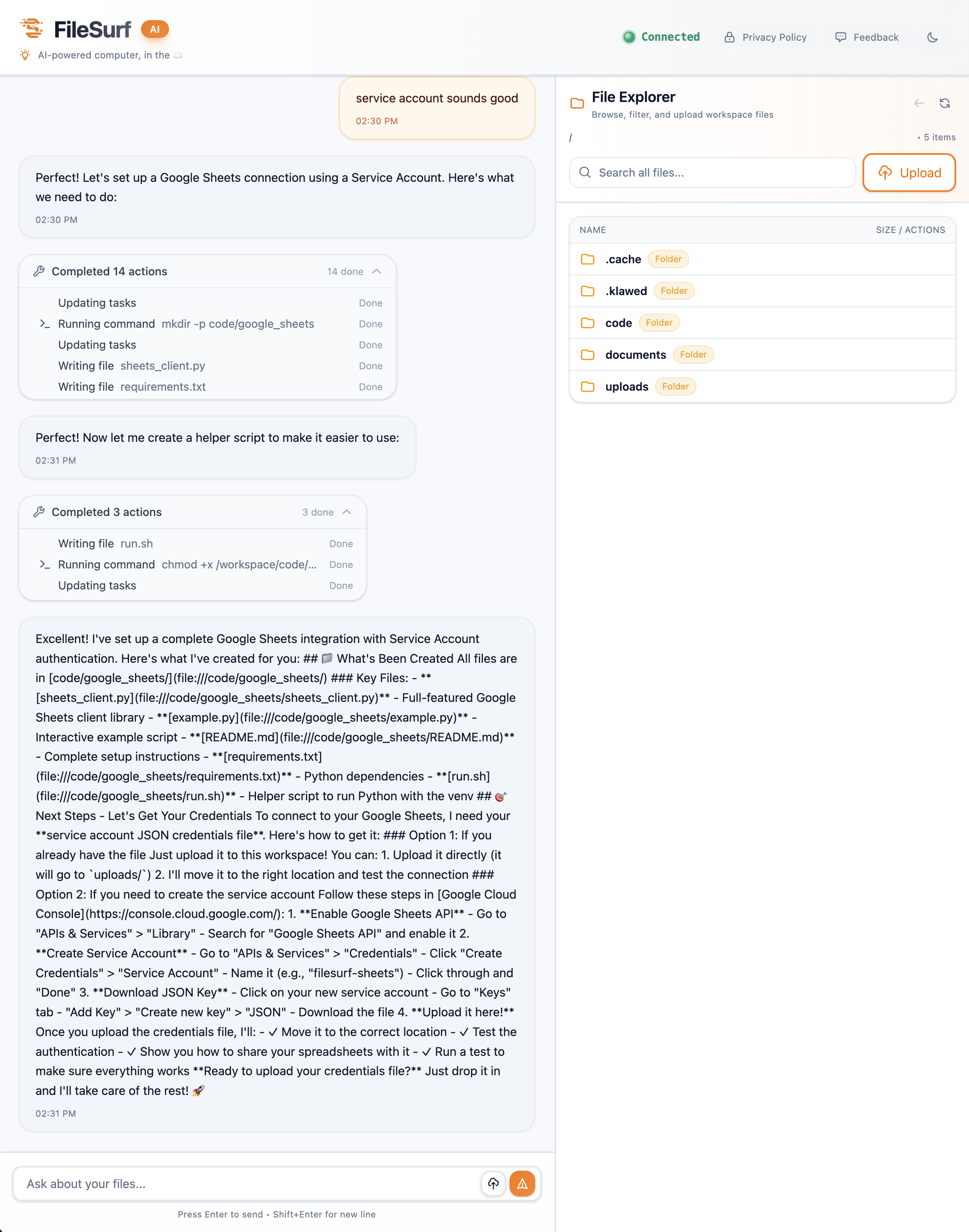 "Completed 14 actions" - FileSurf built a complete Google Sheets integration in minutes.
In those 14 visible actions, FileSurf created a project directory, generated Python authentication code, wrote a full sheets_client.py library, set up a virtual environment, and generated comprehensive documentation. Everything transparent. Everything logged. No guessing what was happening behind the scenes.
Then came the Google Cloud setup. FileSurf guided them step-by-step through creating a service account, configuring permissions, and downloading credentials. It knew exactly where to go, what to click, and how to handle secrets securely.
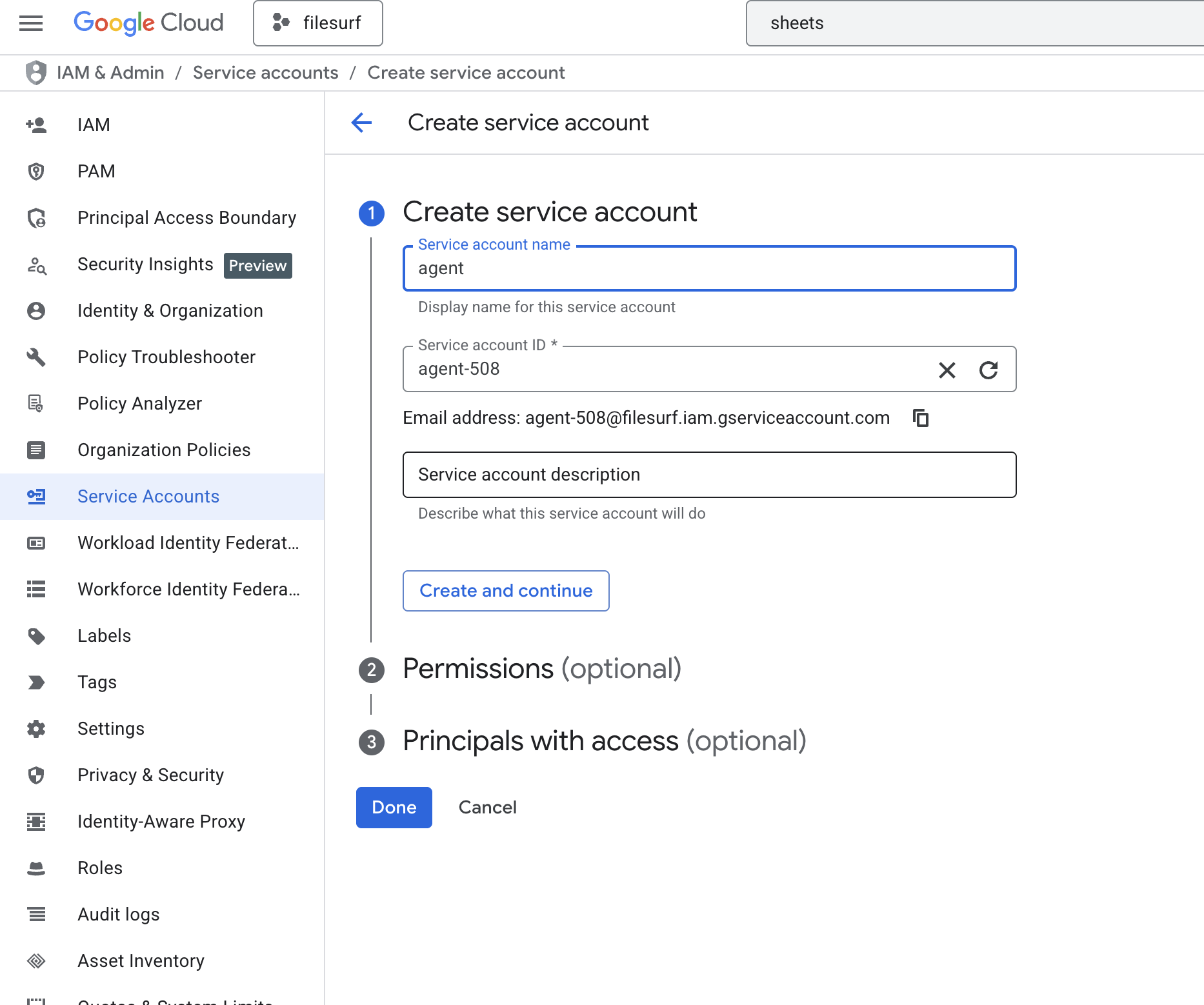 Step-by-step guidance through Google Cloud Console—no Stack Overflow needed.
Twenty-three minutes later, they had a complete Python Google Sheets client library, authentication configured and tested, helper scripts, and comprehensive documentation. The code worked on first run. No debugging. No missing dependencies. Production-ready.
Phase 2: Rebuilding the Invoice System (57 Minutes)
Now for the real challenge: taking their fragile laptop workflow and rebuilding it entirely in FileSurf. The owner uploaded their Google Cloud credentials and asked FileSurf to connect to the "nha-tro" (rental property) spreadsheet, pull all data into SQLite, and rebuild their invoice generator.
FileSurf connected to the Google Sheets API, downloaded all 13 sheets of rental data, and created a properly structured SQLite database. The result: nha_tro.db, 88KB of organized data with 13 tables—revenue, expenses, electricity meter readings, tenant receivables, utility costs, and asset tracking.
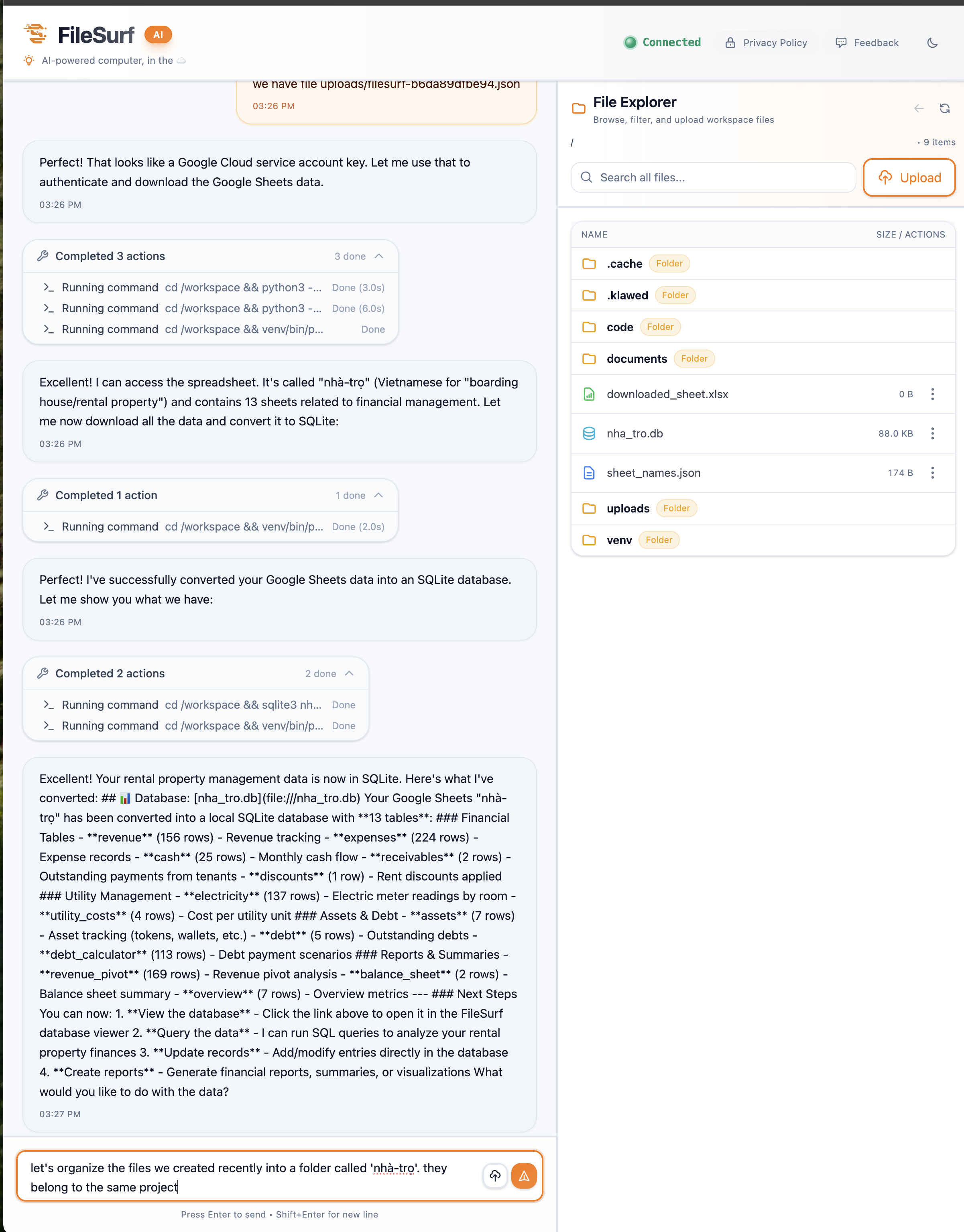 Converting 13 sheets of rental data to SQLite—all rental property information in one database.
Then they uploaded their old rental_process.py script. FileSurf analyzed it, extracted the business rules (like "Room 5 gets free internet"), chose ReportLab for PDF generation, and rebuilt the entire script to work from the database instead of manual CSV files.
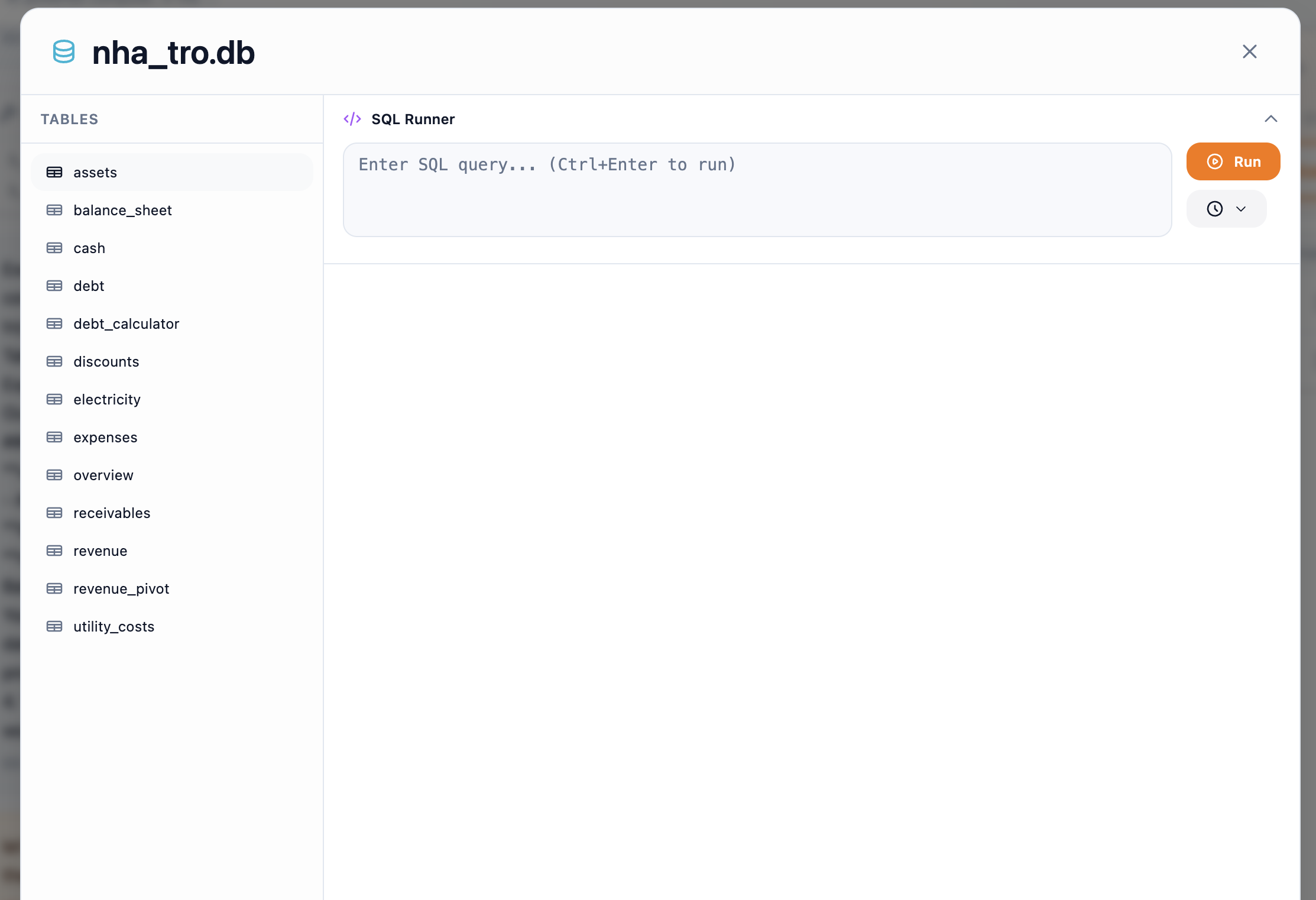 Built-in database viewer—query and explore rental data without installing any tools.
The Intelligence Moment: Solving the Font Problem
When the first batch of PDFs was generated, something wasn't quite right. Vietnamese diacritics—those special marks on characters like ô, ơ, ă, ê, đ—weren't rendering perfectly. This is a common PDF generation headache that typically requires hours of debugging.
But the owner didn't need to say anything. FileSurf noticed. Without being told what was wrong, it detected the issue, diagnosed the font compatibility problem, tested that Liberation Sans had full Vietnamese support, modified the rendering code, regenerated all 6 invoices, and verified the fix. The owner watched it happen in real-time through the action log. Five minutes, compared to what would have been hours of manual font debugging.
This is what separates FileSurf from code generation tools. It doesn't just create code and walk away—it validates the output, catches edge cases, and iterates until the solution actually works for your specific use case.
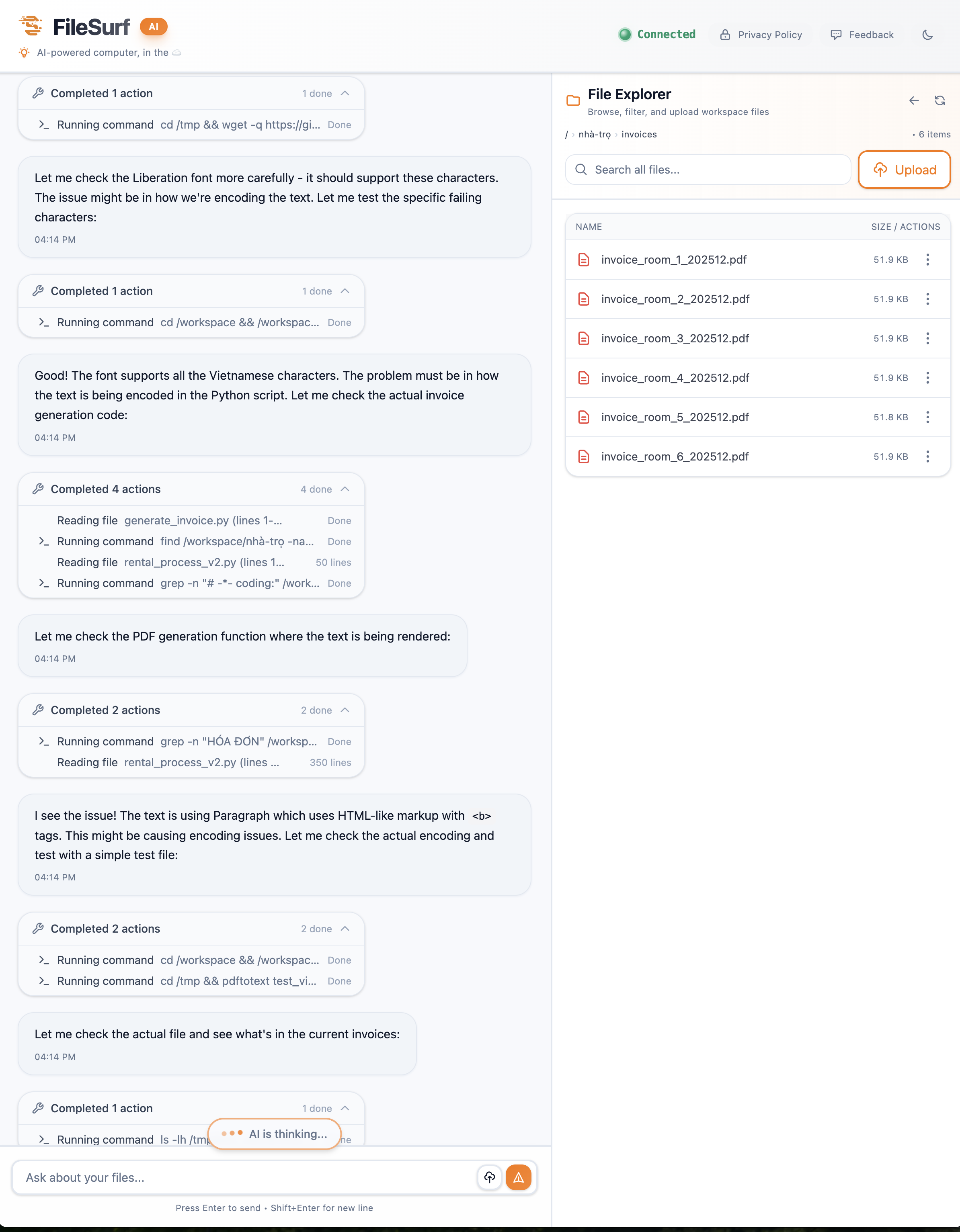 Six professional invoices generated with one command—Vietnamese rendering flawless.
The Final Result: From 60 Minutes to 7 Minutes
The old laptop workflow took 30-60 minutes every month, depending on how many things broke. Open Google Sheets, review data, download CSVs, SSH into laptop (if away from home), run script, debug path issues, check PDFs, upload somewhere to share. High stress. High friction. Laptop required.
The new FileSurf workflow takes 7 minutes. Open FileSurf folder, run ./generate_invoices.sh, download PDFs, send to tenants. Done. Zero stress. Works from any device—including mobile.
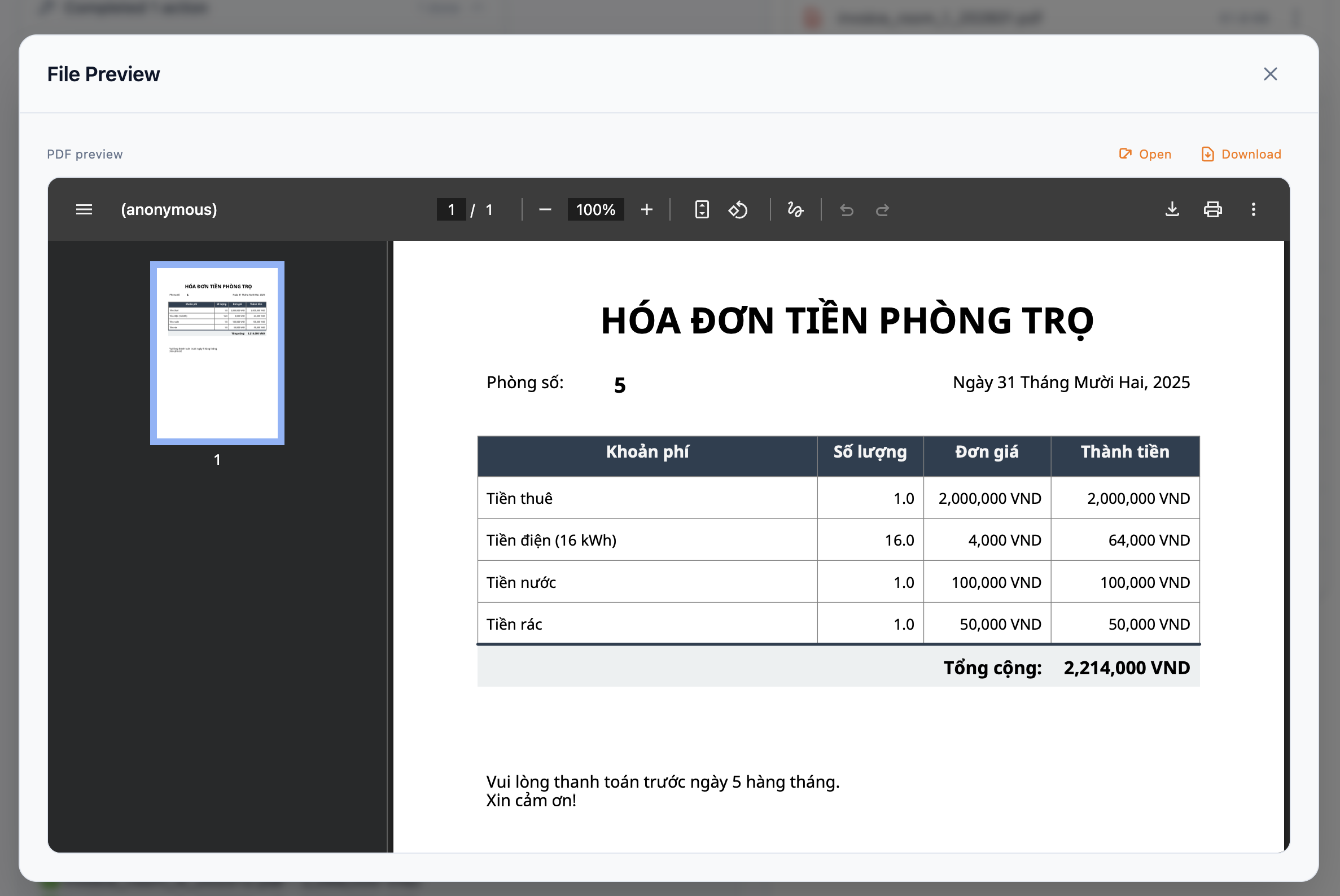 Professional Vietnamese invoice with perfect diacritics—"HÓA ĐƠN TIỀN PHÒNG TRỌ" rendered flawlessly.
The migration took 80 minutes total. The original laptop system took 21+ hours to build over two years. And the new system is more capable—data always in sync with Google Sheets, full invoice history preserved, easy to update business rules, can share access with an accountant, and truly device-independent.
What This Means for Your Monthly Workflows
This invoice system is specific to rental property management, but the pattern isn't. If you have a recurring process that uses multiple tools, requires manual steps, lives partly on a laptop, and needs to happen regularly, FileSurf can probably consolidate it.
Similar workflows that could migrate: expense report generation, client billing and reporting, inventory audits, sales reports from CRM, customer statements from databases, contract generation from templates. Basically, anything that follows a "data → processing → document" pattern with manual coordination in between.
The property owner went from "I need to invoice from my laptop" to "I need to invoice." That's the real value. They still understand the system. They can still modify the code. But they don't worry about Python environment conflicts, font rendering bugs, data sync mismatches, or laptop availability anymore.
The Honest Assessment: What Works and What Doesn't
After using this in production for a real business, here's the truth. API integrations are seamless. Database operations work perfectly on first try. PDF generation with Vietnamese rendering is flawless. Code migration understands existing scripts completely. Documentation is actually useful. Multi-step workflows maintain context across the entire migration. Problem-solving is autonomous and intelligent.
But there's room to grow. Large file handling limits are unclear (though 88KB was fine). Real-time collaboration is single-user currently. Version control isn't automatic—manual git commits for now. No unit tests are generated automatically. Scheduling is still manual—would love cron/scheduler integration.
These aren't dealbreakers. The workflow is dramatically better. But the platform is evolving, and these rough edges will smooth out.
Start Small, Build Up
If you want to migrate something similar, don't overthink it. Document your current process in plain English. Gather your API keys and credentials. Start by just connecting to your data source—get that working before rebuilding everything. If you have existing code (even if messy), upload it and ask FileSurf to explain it before asking for improvements.
Test with real data, not sample data. FileSurf will understand your actual structure and catch edge cases early (like Room 5's free internet in this case). Then iterate and improve—add features incrementally once the core workflow is solid.
The property owner spent 80 minutes in conversation and saved 5-10 hours per year, eliminated stress, and gained device independence. That's the return on investment. They're no longer a laptop prisoner. They have workflow freedom.
All screenshots and code shown are from actual FileSurf sessions. Nothing staged or simplified. This is the real migration that's running in production today.